Quick Start
IHttpCore can also be referred to as IHttp. It is an HTTP framework based on reflection and macro annotations.
Want to quickly understand what IHttpCore is? This document provides a simple perspective on the features of IHttpCore.
The Smallest Server
Step 1: Create a New Project
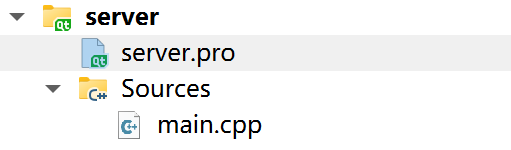
IHttp currently supports use in CMake projects and Qt projects. We use Qt as an example. By default, create a Qt console project. As follows. The project content is as follows:
The content in server.pro has been slightly trimmed.
A simple Qt console project is now ready.
Step 2: Integrate IMakeCore
IHttpCore depends on IMakeCore. IMakeCore is a package management tool based on CMake and qmake. Many packages for IHttp can be downloaded and imported via IMakeCore.
Users need to install IMakeCore to perform subsequent package import tasks. Content about IMakeCore can be found in the IMakeCore documentation.
By default, users have already installed and understood the features of IMakeCore (if not, you can consider it similar to npm, Maven, or Cargo for subsequent reading, and delve into the details of IMakeCore during actual operations).
In the project directory, execute the following command:
The ipc init command adds a few lines of code to the server.pro file, enabling the Qt project to use the package management capabilities of IMakeCore. The ipc tool is a command-line tool built into IMakeCore.
If users fail to execute qmake from the command line, they can right-click on the project in the project panel and select Run qmake to manually execute the qmake command to refresh the project.
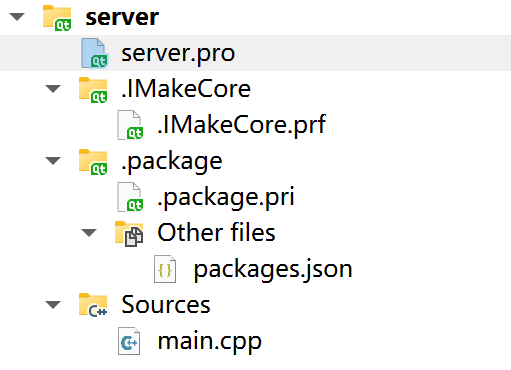
After executing the above commands, the entire project content is as follows:
The changes to our project are three lines of IMakeCore-supported code added to the server.pro file, and an additional packages.json file.
If users use QtCreator, the changes to the project panel are as follows:
Step 3: Add Packages
Modify the packages.json file as follows:
Execute qmake, and the changes to the project panel are as follows:
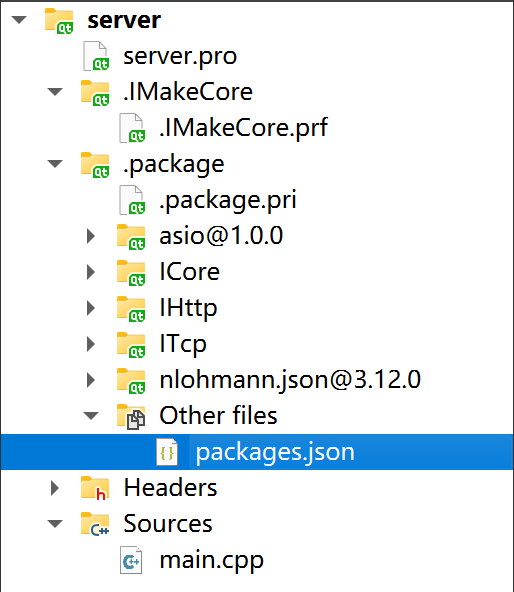
The IHttp-related packages are now integrated. Note that five packages are imported here because IHttp depends on ITcp and ICore, and ICore depends on asio and nlohmann.json. If these are not imported together, IMakeCore will report an error when parsing package dependencies.
Adding packages is this simple.
One thing to note is that we need to modify the server.pro file, changing c++11 to c++17. IHttp uses c++17, so users should modify this or adjust if errors occur; we won't list the server.pro file again for brevity.
Step 4: Start a Server
Modify the main.cpp file and add server code as follows:
At this point, a server is started. Executing the program produces the following output:
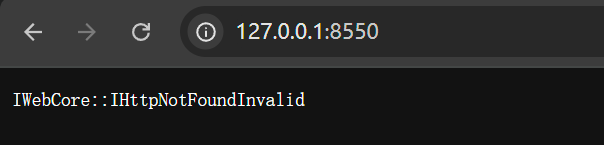
Entering 127.0.0.1:8550 in the browser results in:
A minimal server has now been started.
Step 5: Add Controller
In Step 3, there is a server that only returns a 404 response for any request. In the following content, we need to define our own request and response mappings.
Create a new FirstController class as follows:
One important point to note is that in the main.cpp file, we added the line $EnableHttpPrintTrace(true). This macro enables detailed printing of HTTP request and response information.
Recompile and run the program, and the output is as follows:
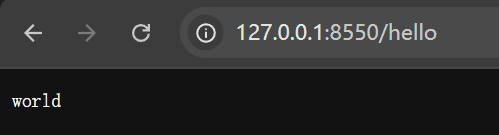
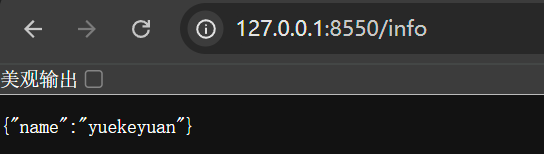
For browser requests, we can see that the server returns the strings we defined.

Next Content
This is an introduction to the quick start, and no more demonstration content will be written. Users can learn more features by reading the documentation or referring to the sample code.
IHttpCore has many exciting features, such as:
- Writing classes with annotations similar to Java beans, and directly returning class objects or class lists from controller functions.
- Convenient database operations like in Spring JPA, with the ability to switch databases freely and generate various SQL statements automatically.
- A rich set of packages to meet your needs, such as mapping static file routes with just two lines of code.
- A template engine similar to JSP for convenient template rendering.
- A powerful plugin mechanism for easy extension of functionality.
- Comprehensive testing features, allowing users to conveniently test their APIs without relying on external tools.
- ...